URL 중첩 인코딩 디코딩 방법
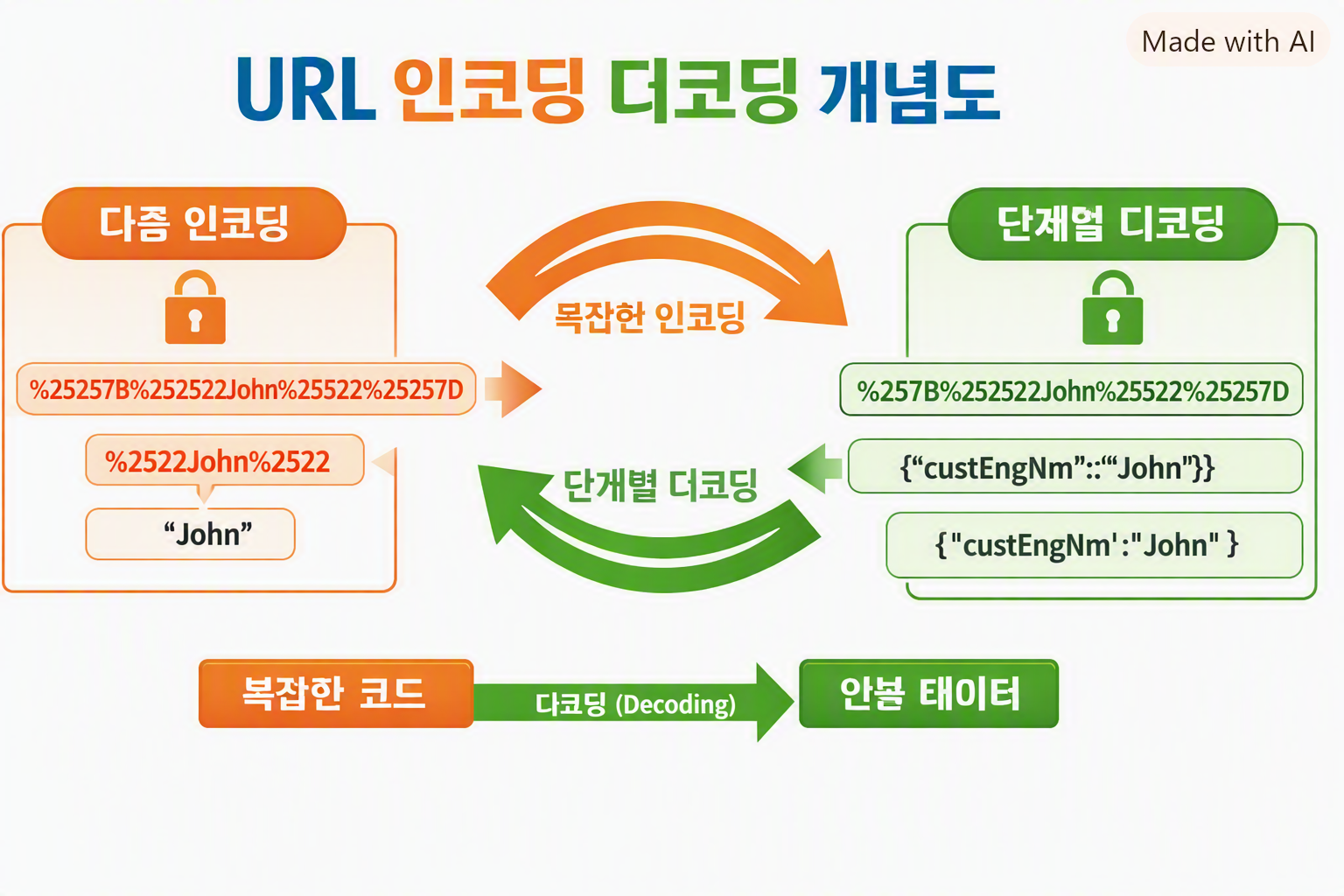
웹 개발이나 데이터 전송 과정에서 종종 중첩된 URL 인코딩을 마주하게 됩니다. 예를 들어 %252522 같은 문자열은 한 번 디코딩하면 %2522가 되고, 다시 디코딩해야 "로 복원됩니다.
중첩 인코딩의 특징
- 인코딩 자체는 정상적으로 수행됨
- 단, 여러 번 중복되어 사람이 읽기 어려움
- 반복 디코딩을 통해 원래 JSON 구조로 복원 가능
Python 예제 코드
import urllib.parse
import json

# 예시: 중첩된 인코딩 문자열
encoded = "%257B%252522custEngNm%252522%25253A%252522John%252522%257D"

def multi_decode(s, max_steps=5):
    for _ in range(max_steps):
        new_s = urllib.parse.unquote(s)
        if new_s == s:
            break
        s = new_s
    return s

decoded = multi_decode(encoded)
print("디코딩 결과:", decoded)

# JSON 파싱
data = json.loads(decoded)
print("JSON 구조:", data)
실행 결과:
디코딩 결과: {"custEngNm":"John"}
JSON 구조: {'custEngNm': 'John'}
Java 예제 코드
import java.net.URLDecoder;
import java.nio.charset.StandardCharsets;
import com.fasterxml.jackson.databind.ObjectMapper;
import java.util.Map;

public class MultiDecodeExample {
    public static void main(String[] args) throws Exception {
        String encoded = "%257B%252522custEngNm%252522%25253A%252522John%252522%257D";

        String decoded = multiDecode(encoded, 5);
        System.out.println("디코딩 결과: " + decoded);

        ObjectMapper mapper = new ObjectMapper();
        Map<String, Object> jsonMap = mapper.readValue(decoded, Map.class);
        System.out.println("JSON 구조: " + jsonMap);
    }

    public static String multiDecode(String s, int maxSteps) {
        String result = s;
        for (int i = 0; i < maxSteps; i++) {
            String newResult = URLDecoder.decode(result, StandardCharsets.UTF_8);
            if (newResult.equals(result)) break;
            result = newResult;
        }
        return result;
    }
}
실행 결과:
디코딩 결과: {"custEngNm":"John"}
JSON 구조: {custEngNm=John}
마무리
중첩된 URL 인코딩은 당황스러울 수 있지만, Python이나 Java에서 반복적으로 디코딩하면 원래의 JSON 데이터를 쉽게 복원할 수 있습니다. 데이터 전송 과정에서 인코딩이 여러 번 적용되는 경우가 있으니, 이런 기법을 알아두면 문제 해결에 큰 도움이 됩니다.
반응형
'갑을병정이야기' 카테고리의 다른 글
| dxDataGrid 편집 & Selection 관련 (2) | 2026.09.17 |
|---|---|
| 🔑 Oracle MERGE 성능 개선 방안 (2) | 2026.09.09 |
| Oracle OFFSET 성능 최적화와 Keyset 페이징 (2) | 2026.09.07 |
| JavaScript input 길이 체크 방법 (1) | 2026.09.05 |
| DevExtreme dxDataGrid 활용 정리 (3) | 2026.09.03 |