휴게시간 (앱) Android Kotlin 프로젝트 현대화 계획
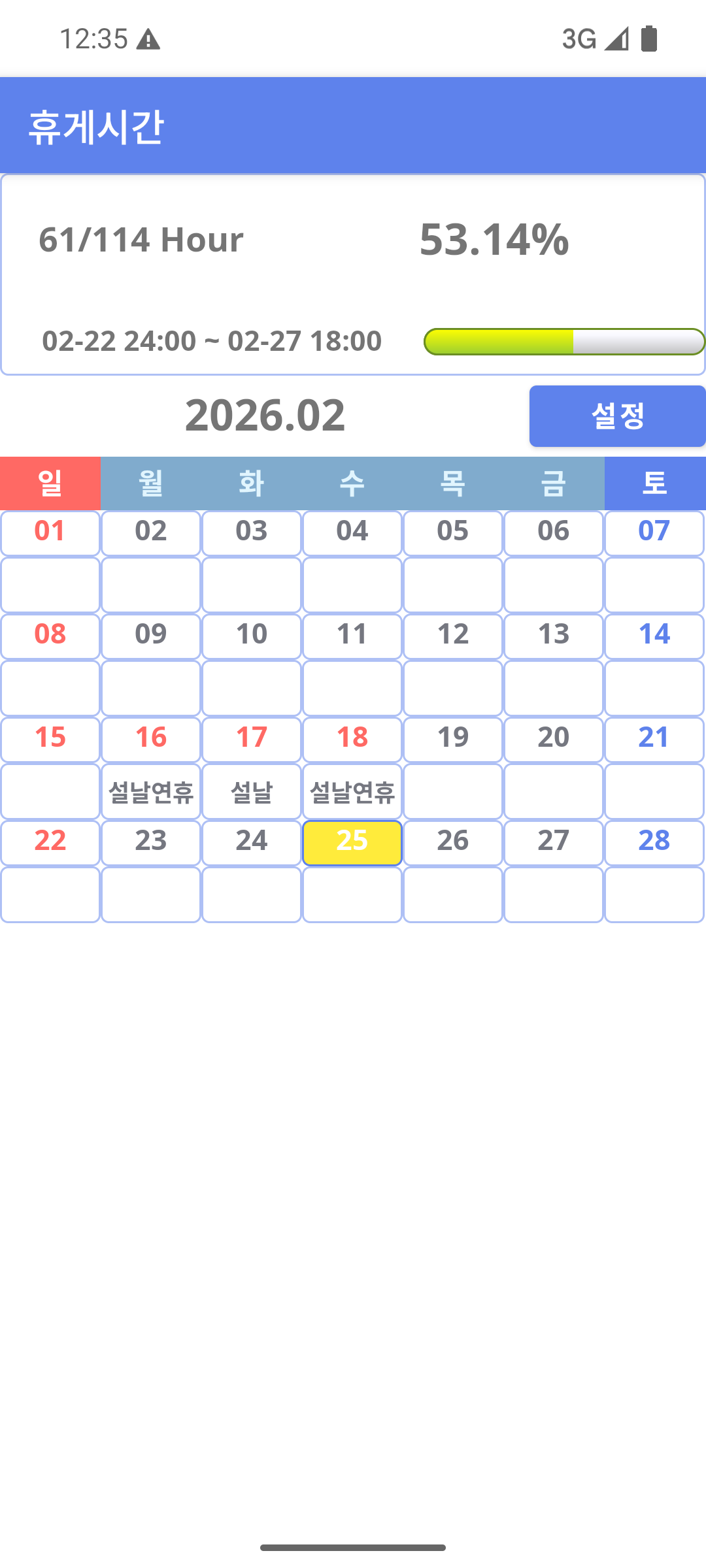
📋 프로젝트 개요
프로젝트명: daycnt415 (날짜 카운팅 앱)
- 현재 상태: 레거시 XML 레이아웃 기반, SQLiteOpenHelper 기반 직접 데이터 관리
- 대상 SDK: 36 (Kotlin 2.2.10, Gradle 9.0.1)
- 목표: Jetpack Compose, Hilt, Room, KSP를 활용한 모던 아키텍처 전환
🏗️ 현재 아키텍처 분석
현재 구조의 문제점
| 문제 | 영향 | 심각도 |
|---|---|---|
| UI와 비즈니스 로직 강한 결합 | 테스트 불가, 유지보수 어려움 | 🔴 높음 |
| SQLiteOpenHelper 직접 사용 | 반복되는 쿼리 코드, 메모리 누수 위험 | 🔴 높음 |
| 의존성 주입 없음 | 하드코딩된 인스턴스, 테스트 어려움 | 🔴 높음 |
| Activity 기반 상태 관리 | 화면 회전 시 데이터 손실, 메모리 누수 | 🟠 중간 |
| Manual Cursor 관리 | 메모리 누수, null 안전성 부족 | 🟠 중간 |
| 반응형 데이터 흐름 부재 | 상태 동기화 어려움 | 🟠 중간 |
현재 사용 중인 라이브러리
✅ AndroidX (AppCompat, ConstraintLayout)
✅ View Binding
✅ Google Play Services (Ads, Billing, Review, App Update)
✅ Coroutines (1.10.2)
✅ Gson
주요 클래스 구조
com.billcoreatech.daycnt415/
├── MainActivity.kt (568줄) - 캘린더 UI, 날짜 계산, 제스처 처리
├── SettingActivity.kt (163줄) - 설정 화면, 결제 관리
├── InitActivity.kt - 초기화 화면
├── SettingActivity.kt
├── database/
│   ├── DBHelper.kt - SQLiteOpenHelper 상속
│   └── DBHandler.kt (160줄) - SQL 직접 실행
├── dayManager/
│   └── DayinfoBean.kt (9줄) - 데이터 클래스
├── billing/
│   └── BillingManager.kt (266줄) - 구글 인앱 결제
├── util/
│   ├── DayCntWidget.kt - 앱 위젯
│   ├── GridAdapter.kt - 캘린더 그리드 어댑터
│   ├── Holidays.kt - 휴일 관리
│   ├── LunarCalendar.kt - 음력 계산
│   └── 기타 유틸리티
└── res/
    └── layout/ - XML 레이아웃 파일 (모두 XML 기반)
🎯 4단계 마이그레이션 전략
Phase 1: 기초 구축 및 의존성 설정 (1-2주)
1.1 build.gradle 의존성 추가
// === 프로젝트 레벨 build.gradle ===
buildscript {
    ext.kotlin_version = '2.3.10'
    dependencies {
        classpath 'com.android.tools.build:gradle:9.0.1'
        classpath "org.jetbrains.kotlin:kotlin-gradle-plugin:$kotlin_version"
        classpath 'com.google.dagger:hilt-android-gradle-plugin:2.59.2'
    }
}

// === 앱 레벨 build.gradle ===
plugins {
    id 'com.android.application'
    id 'kotlin-android'
    id 'com.google.devtools.ksp' version '2.3.2'
    id 'dagger.hilt.android.plugin'
}

dependencies {
    // Hilt (의존성 주입)
    implementation 'com.google.dagger:hilt-android:2.59.2'
    ksp 'com.google.dagger:hilt-compiler:2.59.2'

    // Hilt Navigation Compose
    implementation 'androidx.hilt:hilt-navigation-compose:1.3.0'

    // Hilt Work (WorkManager와 Hilt 통합)
    implementation 'androidx.hilt:hilt-work:1.3.0'

    // Room Database (로컬 데이터베이스)
    implementation 'androidx.room:room-runtime:2.8.4'
    implementation 'androidx.room:room-ktx:2.8.4'
    ksp 'androidx.room:room-compiler:2.8.4'

    // ViewModel & Lifecycle
    implementation 'androidx.lifecycle:lifecycle-viewmodel-ktx:2.10.0'
    implementation 'androidx.lifecycle:lifecycle-runtime-ktx:2.10.0'
    implementation 'androidx.lifecycle:lifecycle-runtime-compose:2.10.0'
    implementation 'androidx.lifecycle:lifecycle-viewmodel-compose:2.10.0'

    // Activity Compose
    implementation 'androidx.activity:activity-compose:1.12.4'

    // Core KTX
    implementation 'androidx.core:core-ktx:1.17.0'

    // Jetpack Compose BOM (Bill of Materials - 버전 자동 관리)
    def composeBom = platform('androidx.compose:compose-bom:2026.02.00')
    implementation composeBom
    androidTestImplementation composeBom

    // Compose UI
    implementation 'androidx.compose.ui:ui'
    implementation 'androidx.compose.ui:ui-tooling-preview'
    debugImplementation 'androidx.compose.ui:ui-tooling'
    debugImplementation 'androidx.compose.ui:ui-test-manifest'

    // Compose Material 3
    implementation 'androidx.compose.material3:material3'
    implementation 'androidx.compose.material3:material3-window-size-class'

    // Compose Foundation
    implementation 'androidx.compose.foundation:foundation'

    // Compose Icons (옵션)
    implementation 'androidx.compose.material:material-icons-extended'

    // Navigation Compose
    implementation 'androidx.navigation:navigation-compose:2.9.7'

    // Glance (Widget용 Compose)
    implementation 'androidx.glance:glance-appwidget:1.3.0'
    implementation 'androidx.glance:glance-material3:1.3.0'

    // Splash Screen
    implementation 'androidx.core:core-splashscreen:1.3.0'

    // Coroutines (비동기 처리)
    implementation 'org.jetbrains.kotlinx:kotlinx-coroutines-android:1.10.2'
    implementation 'org.jetbrains.kotlinx:kotlinx-coroutines-core:1.10.2'
    implementation 'org.jetbrains.kotlinx:kotlinx-coroutines-play-services:1.10.2'

    // WorkManager (백그라운드 작업)
    implementation 'androidx.work:work-runtime-ktx:2.11.1'

    // DataStore (SharedPreferences 대체)
    implementation 'androidx.datastore:datastore-preferences:1.2.0'

    // Network (옵션 - API 통신 필요시)
    implementation 'com.squareup.retrofit2:retrofit:3.0.0'
    implementation 'com.squareup.retrofit2:converter-gson:3.0.0'
    implementation 'com.squareup.okhttp3:okhttp:5.3.2'
    implementation 'com.squareup.okhttp3:logging-interceptor:5.3.2'

    // Image Loading
    implementation 'io.coil-kt:coil-compose:2.7.0'

    // 기존 라이브러리 유지
    implementation 'androidx.appcompat:appcompat:1.8.0'
    implementation 'com.google.android.material:material:1.14.0'
    implementation 'androidx.constraintlayout:constraintlayout:2.2.2'
    implementation 'com.google.android.gms:play-services-ads:25.0.0'
    implementation 'com.android.billingclient:billing:7.2.0'
    implementation 'com.google.code.gson:gson:2.13.2'
    implementation 'com.google.android.gms:play-services-appset:17.0.0'
    implementation 'com.google.android.gms:play-services-ads-identifier:19.0.0'
    implementation 'com.google.android.play:review:2.1.0'
    implementation 'com.google.android.play:app-update:2.1.0'

    // ML Kit & Vision (옵션 - 카메라/바코드 스캔 필요시)
    implementation 'com.google.mlkit:barcode-scanning:18.3.1'
    implementation 'com.google.mlkit:text-recognition:19.0.1'
    implementation 'com.google.mlkit:text-recognition-korean:16.0.1'

    // CameraX (옵션 - 카메라 기능 필요시)
    implementation 'androidx.camera:camera-core:1.5.3'
    implementation 'androidx.camera:camera-camera2:1.5.3'
    implementation 'androidx.camera:camera-lifecycle:1.5.3'
    implementation 'androidx.camera:camera-view:1.5.3'

    // 테스트 의존성
    testImplementation 'junit:junit:4.13.2'
    testImplementation 'org.mockito:mockito-core:5.17.0'
    testImplementation 'org.mockito.kotlin:mockito-kotlin:5.7.0'
    testImplementation 'org.jetbrains.kotlinx:kotlinx-coroutines-test:1.10.2'
    testImplementation 'androidx.arch.core:core-testing:2.3.0'
    testImplementation 'app.cash.turbine:turbine:1.3.0'

    androidTestImplementation 'androidx.test.ext:junit:1.3.0'
    androidTestImplementation 'androidx.test.espresso:espresso-core:3.7.0'
    androidTestImplementation 'androidx.compose.ui:ui-test-junit4'
    androidTestImplementation 'androidx.navigation:navigation-testing:2.9.7'
    androidTestImplementation 'com.google.dagger:hilt-android-testing:2.59.2'
    kspAndroidTest 'com.google.dagger:hilt-compiler:2.59.2'
}
주요 버전 정보 (2026년 2월 최신 검증된 버전):
- ✅ Kotlin: 2.3.10
- ✅ KSP: 2.3.2
- ✅ AGP: 9.0.1
- ✅ Compose BOM: 2026.02.00
- ✅ Hilt: 2.59.2
- ✅ Hilt Navigation Compose: 1.3.0
- ✅ Hilt Work: 1.3.0
- ✅ Room: 2.8.4
- ✅ Lifecycle: 2.10.0
- ✅ Activity Compose: 1.12.4
- ✅ Navigation Compose: 2.9.7
- ✅ Core KTX: 1.17.0
- ✅ Glance: 1.3.0
- ✅ WorkManager: 2.11.1
- ✅ Retrofit: 3.0.0
- ✅ OkHttp: 5.3.2
- ✅ Coil: 2.7.0
- ✅ Coroutines: 1.10.2
- ✅ Coroutines Play Services: 1.10.2
- ✅ Play Services Ads: 25.0.0
- ✅ Billing: 7.2.0
- ✅ Gson: 2.13.2
- ✅ ML Kit Barcode: 18.3.1
- ✅ ML Kit Text Recognition: 19.0.1
- ✅ ML Kit Text Recognition Korean: 16.0.1
- ✅ CameraX: 1.5.3
- ✅ App Update: 2.1.0
- ✅ JUnit: 4.13.2
- ✅ JUnit Android: 1.3.0
- ✅ Espresso Core: 3.7.0
1.2 패키지 구조 재설계
com.billcoreatech.daycnt415/
├── presentation/
│   ├── ui/
│   │   ├── screens/
│   │   │   ├── MainScreen.kt
│   │   │   ├── SettingScreen.kt
│   │   │   └── InitScreen.kt
│   │   ├── components/
│   │   │   ├── CalendarGrid.kt
│   │   │   ├── DayCard.kt
│   │   │   └── 기타 재사용 컴포넌트
│   │   └── theme/
│   │       ├── Color.kt
│   │       ├── Typography.kt
│   │       └── Theme.kt
│   └── viewmodel/
│       ├── MainViewModel.kt
│       ├── SettingViewModel.kt
│       └── InitViewModel.kt
├── domain/
│   ├── model/
│   │   ├── DayInfo.kt (엔티티)
│   │   ├── Holiday.kt
│   │   └── UiState.kt
│   ├── repository/
│   │   ├── IDayInfoRepository.kt
│   │   └── IPreferenceRepository.kt
│   └── usecase/
│       ├── GetDayInfoUseCase.kt
│       ├── SaveDayInfoUseCase.kt
│       └── GetHolidaysUseCase.kt
├── data/
│   ├── local/
│   │   ├── database/
│   │   │   ├── AppDatabase.kt
│   │   │   ├── entity/
│   │   │   │   └── DayInfoEntity.kt
│   │   │   └── dao/
│   │   │       └── DayInfoDao.kt
│   │   ├── preferences/
│   │   │   └── PreferencesDataStore.kt
│   │   └── datasource/
│   │       ├── LocalDayInfoDataSource.kt
│   │       └── LocalPreferenceDataSource.kt
│   └── repository/
│       ├── DayInfoRepositoryImpl.kt
│       └── PreferenceRepositoryImpl.kt
├── di/
│   ├── DatabaseModule.kt
│   ├── RepositoryModule.kt
│   ├── UseCaseModule.kt
│   └── ManagerModule.kt
├── MyApplication.kt (@HiltAndroidApp)
└── MainActivity.kt (Compose 기반 진입점)
1.3 Hilt 애플리케이션 클래스 생성
@HiltAndroidApp
class MyApplication : Application()
Phase 2: 데이터 계층 현대화 (2-3주)
2.1 Room Entity 정의
// DBHelper.kt와 DBHandler.kt를 대체
@Entity(tableName = "dayinfo")
data class DayInfoEntity(
    @PrimaryKey(autoGenerate = true)
    val id: Int = 0,
    @ColumnInfo(name = "mdate")
    val date: String,
    @ColumnInfo(name = "msg")
    val message: String,
    @ColumnInfo(name = "dayOfweek")
    val dayOfWeek: String,
    @ColumnInfo(name = "isholiday")
    val isHoliday: String
)
2.2 Room DAO 인터페이스
@Dao
interface DayInfoDao {
    @Query("SELECT * FROM dayinfo ORDER BY mdate DESC")
    fun getAllDayInfo(): Flow<List<DayInfoEntity>>

    @Query("SELECT * FROM dayinfo WHERE mdate <= :targetDate ORDER BY mdate DESC LIMIT 1")
    fun getTodayMsg(targetDate: String): Flow<DayInfoEntity?>

    @Query("SELECT isholiday FROM dayinfo WHERE mdate = :targetDate")
    suspend fun getIsHoliday(targetDate: String): String?

    @Insert(onConflict = OnConflictStrategy.REPLACE)
    suspend fun insertDayInfo(dayInfo: DayInfoEntity)

    @Delete
    suspend fun deleteDayInfo(dayInfo: DayInfoEntity)

    @Update
    suspend fun updateDayInfo(dayInfo: DayInfoEntity)
}
2.3 Room Database 클래스
@Database(
    entities = [DayInfoEntity::class],
    version = 1
)
abstract class AppDatabase : RoomDatabase() {
    abstract fun dayInfoDao(): DayInfoDao

    companion object {
        const val DB_NAME = "HolidayInfo"
    }
}
2.4 Repository 인터페이스 정의
interface IDayInfoRepository {
    fun getAllDayInfo(): Flow<List<DayInfo>>
    fun getTodayMsg(targetDate: String): Flow<DayInfo?>
    suspend fun getIsHoliday(targetDate: String): String?
    suspend fun saveDayInfo(dayInfo: DayInfo)
    suspend fun deleteDayInfo(dayInfo: DayInfo)
}

interface IPreferenceRepository {
    fun getStartTime(): Flow<String>
    fun getCloseTime(): Flow<String>
    suspend fun saveStartTime(time: String)
    suspend fun saveCloseTime(time: String)
    fun isBilled(): Flow<Boolean>
    suspend fun setBilled(billed: Boolean)
}
2.5 Repository 구현
@Singleton
class DayInfoRepositoryImpl @Inject constructor(
    private val dayInfoDao: DayInfoDao
) : IDayInfoRepository {
    override fun getAllDayInfo(): Flow<List<DayInfo>> =
        dayInfoDao.getAllDayInfo()
            .map { entities -> entities.map { it.toDomain() } }

    override suspend fun saveDayInfo(dayInfo: DayInfo) {
        dayInfoDao.insertDayInfo(dayInfo.toEntity())
    }
    // ... 기타 메서드
}
2.6 Hilt 모듈 설정
@Module
@InstallIn(SingletonComponent::class)
object DatabaseModule {
    @Singleton
    @Provides
    fun provideAppDatabase(
        @ApplicationContext context: Context
    ): AppDatabase {
        return Room.databaseBuilder(
            context,
            AppDatabase::class.java,
            AppDatabase.DB_NAME
        ).build()
    }

    @Provides
    fun provideDayInfoDao(database: AppDatabase): DayInfoDao {
        return database.dayInfoDao()
    }
}

@Module
@InstallIn(SingletonComponent::class)
object RepositoryModule {
    @Singleton
    @Provides
    fun provideDayInfoRepository(
        dayInfoDao: DayInfoDao
    ): IDayInfoRepository {
        return DayInfoRepositoryImpl(dayInfoDao)
    }
}
Phase 3: 프레젠테이션 계층 마이그레이션 (3-4주)
3.1 ViewModel 작성
// MainActivity.kt의 로직을 ViewModel으로 분리
@HiltViewModel
class MainViewModel @Inject constructor(
    private val dayInfoRepository: IDayInfoRepository,
    private val preferenceRepository: IPreferenceRepository
) : ViewModel() {

    // UI 상태 데이터 클래스 (UiState 패턴)
    data class UiState(
        val dayInfoList: List<DayInfo> = emptyList(),
        val currentDate: String = "",
        val isLoading: Boolean = false,
        val error: String? = null
    )

    private val _uiState = MutableStateFlow(UiState())
    val uiState: StateFlow<UiState> = _uiState.asStateFlow()

    // 초기화
    init {
        viewModelScope.launch {
            dayInfoRepository.getAllDayInfo()
                .catch { error ->
                    _uiState.update { it.copy(error = error.message) }
                }
                .collect { dayInfoList ->
                    _uiState.update { it.copy(dayInfoList = dayInfoList) }
                }
        }
    }

    fun onDateSelected(date: String) {
        _uiState.update { it.copy(currentDate = date) }
    }

    fun saveDayInfo(dayInfo: DayInfo) {
        viewModelScope.launch {
            dayInfoRepository.saveDayInfo(dayInfo)
        }
    }
}
3.2 Jetpack Compose 스크린 작성
@Composable
fun MainScreen(
    viewModel: MainViewModel = hiltViewModel()
) {
    val uiState by viewModel.uiState.collectAsStateWithLifecycle()

    Column(
        modifier = Modifier
            .fillMaxSize()
            .padding(16.dp),
        verticalArrangement = Arrangement.spacedBy(16.dp)
    ) {
        // 상단 정보 표시
        HourTermDisplay(uiState.currentDate)

        // 캘린더 그리드
        CalendarGrid(
            dayInfoList = uiState.dayInfoList,
            onDateSelected = { date ->
                viewModel.onDateSelected(date)
            }
        )

        // 날짜 정보 목록
        DayInfoList(dayInfoList = uiState.dayInfoList)

        // 에러 표시
        uiState.error?.let {
            ErrorSnackbar(message = it)
        }
    }
}

// 재사용 가능한 컴포넌트들
@Composable
fun CalendarGrid(
    dayInfoList: List<DayInfo>,
    onDateSelected: (String) -> Unit
) {
    LazyVerticalGrid(
        columns = GridCells.Fixed(7),
        modifier = Modifier.fillMaxWidth()
    ) {
        items(dayInfoList.size) { index ->
            DayCard(
                dayInfo = dayInfoList[index],
                onSelected = { onDateSelected(it.date) }
            )
        }
    }
}

@Composable
fun DayCard(
    dayInfo: DayInfo,
    onSelected: (DayInfo) -> Unit
) {
    Card(
        modifier = Modifier
            .fillMaxWidth()
            .clickable { onSelected(dayInfo) },
        colors = CardDefaults.cardColors(
            containerColor = if (dayInfo.isHoliday == "Y")
                Color.Red else Color.White
        )
    ) {
        Text(
            text = dayInfo.date,
            modifier = Modifier.padding(8.dp)
        )
    }
}
3.3 Navigation 구조 (Navigation Compose)
sealed class NavigationEvent {
    object ToMain : NavigationEvent()
    object ToSetting : NavigationEvent()
    data class ToDetail(val dayId: Int) : NavigationEvent()
}

@Composable
fun NavGraph() {
    val navController = rememberNavController()

    NavHost(
        navController = navController,
        startDestination = "main"
    ) {
        composable("main") {
            MainScreen(
                onNavigateToSetting = {
                    navController.navigate("setting")
                }
            )
        }

        composable("setting") {
            SettingScreen(
                onNavigateBack = {
                    navController.popBackStack()
                }
            )
        }

        composable("init") {
            InitScreen(
                onNavigateToMain = {
                    navController.navigate("main") {
                        popUpTo("init") { inclusive = true }
                    }
                }
            )
        }
    }
}
3.4 Activity → Compose 진입점 (최소화)
@AndroidEntryPoint
class MainActivity : ComponentActivity() {
    override fun onCreate(savedInstanceState: Bundle?) {
        super.onCreate(savedInstanceState)

        setContent {
            DaycntTheme {
                NavGraph()
            }
        }
    }
}
Phase 4: 기능 통합 및 최적화 (2-3주)
4.1 BillingManager Hilt 통합
@Module
@InstallIn(SingletonComponent::class)
object ManagerModule {
    @Singleton
    @Provides
    fun provideBillingManager(
        @ApplicationContext context: Context
    ): BillingManager {
        return BillingManager(context)
    }
}

// ViewModel에서 사용
@HiltViewModel
class SettingViewModel @Inject constructor(
    private val billingManager: BillingManager,
    private val preferenceRepository: IPreferenceRepository
) : ViewModel() {
    // ...
}
4.2 Widget 현대화 (Glance로 전환 검토)
// Glance 기반 위젯 (기존 방식 대체)
class DayCntGlanceWidget : GlanceAppWidget() {
    override suspend fun provideGlance(
        context: Context,
        id: GlanceId
    ) {
        // Jetpack Compose 스타일의 선언형 위젯 UI
        provideContent {
            GlanceTheme {
                Surface {
                    Box(
                        modifier = GlanceModifier
                            .fillMaxSize()
                            .padding(16.dp)
                    ) {
                        Text(
                            text = "오늘 통계",
                            modifier = GlanceModifier.fillMaxWidth()
                        )
                    }
                }
            }
        }
    }
}
4.3 Firebase/Crashlytics 통합 (권장)
implementation 'com.google.firebase:firebase-analytics:21.5.0'
implementation 'com.google.firebase:firebase-crashlytics:18.6.1'
📊 마이그레이션 타임라인
| Phase | 기간 | 주요 작업 | 산출물 |
|---|---|---|---|
| 1 | 1-2주 | Gradle, 패키지 구조, Hilt 기초 | 의존성 설정 완료 |
| 2 | 2-3주 | Room DB, Repository, Hilt 모듈 | 데이터 계층 현대화 |
| 3 | 3-4주 | ViewModel, Compose UI, Navigation | 프레젠테이션 계층 현대화 |
| 4 | 2-3주 | 통합, Widget, 테스트, 최적화 | 배포 준비 완료 |
| 총 | 8-12주 | 전체 마이그레이션 | 프로덕션 출시 |
🛠️ 점진적 마이그레이션 전략
Hybrid 접근 방식 (기존 + 신규 공존)
- Phase 1-2: 기존 Activity + XML 유지하면서 Room/Repository 도입
- Phase 3: 신규 Compose 스크린 추가, Activity 병렬 운영
- Phase 4: 기존 Activity 제거, Compose로 완전 전환
데이터 마이그레이션 (자동화)
// 기존 SQLite → Room으로 자동 데이터 이전
class DatabaseMigrationHelper @Inject constructor(
    private val database: AppDatabase,
    @ApplicationContext private val context: Context
) {
    suspend fun migrateFromLegacyDatabase() {
        val legacyDb = DBHelper(context).readableDatabase
        // 기존 데이터 읽고 → Room DB에 저장
    }
}
🧪 테스트 전략
Unit 테스트 (JUnit + Mockito)
@RunWith(MockitoJUnitRunner::class)
class MainViewModelTest {
    @get:Rule
    val instantExecutorRule = InstantTaskExecutorRule()

    @Mock
    private lateinit var repository: IDayInfoRepository

    private lateinit var viewModel: MainViewModel

    @Before
    fun setup() {
        viewModel = MainViewModel(repository, preferenceRepository)
    }

    @Test
    fun testLoadDayInfoSuccess() = runTest {
        val mockData = listOf(DayInfo(...))
        whenever(repository.getAllDayInfo()).thenReturn(
            flowOf(mockData)
        )

        // 검증
        advanceUntilIdle()
        assertEquals(mockData, viewModel.uiState.value.dayInfoList)
    }
}
Room DB 통합 테스트
@RunWith(AndroidJUnit4::class)
class DayInfoDaoTest {
    @get:Rule
    val databaseRule = DatabaseTestRule(AppDatabase::class)

    private lateinit var dayInfoDao: DayInfoDao

    @Before
    fun setup() {
        dayInfoDao = databaseRule.database.dayInfoDao()
    }

    @Test
    fun testInsertAndRetrieve() = runBlocking {
        val dayInfo = DayInfoEntity(date = "20240225", ...)
        dayInfoDao.insertDayInfo(dayInfo)

        val result = dayInfoDao.getAllDayInfo().first()
        assertTrue(result.contains(dayInfo))
    }
}
Compose UI 테스트
@RunWith(AndroidJUnit4::class)
class MainScreenTest {
    @get:Rule
    val composeTestRule = createComposeRule()

    @Test
    fun testCalendarGridDisplay() {
        composeTestRule.setContent {
            MainScreen()
        }

        composeTestRule.onNodeWithText("오늘 통계").assertIsDisplayed()
    }
}
⚠️ 주요 도전 과제 및 해결 방안
| 도전 | 원인 | 영향 | 해결책 |
|---|---|---|---|
| Calendar Grid 복잡도 | 기존 CustomGridView 기능 | 높음 | LazyVerticalGrid + Canvas 조합, 프로토타입 검증 |
| 데이터 마이그레이션 | 기존 사용자의 SQLite DB | 높음 | 자동 마이그레이션 코드, 테스트 필수 |
| Widget 호환성 | Glance 제약사항 | 중간 | Glance 먼저 검증, 필요시 기존 방식 병행 |
| 성능 저하 | Room 쿼리 최적화 필요 | 중간 | Index 설정, 쿼리 최적화, Profiling |
| 메모리 누수 | Coroutines 취소 | 중간 | viewModelScope 사용, Lifecycle 관찰 |
| 디자인 변경 | Compose Material 3 도입 | 낮음 | 기존 디자인 재현 또는 새로 정의 |
📈 성능 최적화 체크리스트
Room Database
- 자주 쿼리되는 컬럼에 Index 설정
- 복합 쿼리 최적화 (JOIN 사용)
- 페이징 처리 (PagingLibrary 도입 검토)
Compose UI
- Recomposition 최소화 (State 분리)
- LazyColumn/LazyVerticalGrid 사용
- remember, derivedStateOf 활용
메모리 관리
- Coroutines 취소 확인
- Lifecycle 관찰 (collectAsStateWithLifecycle)
- 큰 객체는 ViewModel에서 캐싱
📚 참고 리소스
공식 문서
추천 라이브러리
- Navigation: Navigation Compose
- 상태 관리: Jetpack Compose + ViewModel + StateFlow
- 이미지 로딩: Coil (Jetpack Compose 지원)
- HTTP 클라이언트: Retrofit + OkHttp (향후 필요시)
- 테스트: JUnit 4, Mockito, Turbine (Flow 테스트)
✅ 체크리스트
시작 전 확인
- 팀 내 Compose/Hilt 숙련도 평가
- 기존 코드 백업 및 Git 세팅
- 테스트 인프라 구축 (CI/CD)
- 데이터 마이그레이션 계획 수립
Phase별 확인
- Phase 1: 의존성 충돌 테스트, 컴파일 확인
- Phase 2: Room 쿼리 성능 테스트, 데이터 무결성 확인
- Phase 3: UI 복잡도 검증, Navigation 테스트
- Phase 4: 전체 통합 테스트, 성능 Profiling
배포 전 확인
- 단위/통합/E2E 테스트 완료
- Crashlytics로 에러 모니터링 설정
- Beta 테스트 (Google Play Console)
- 사용자 피드백 수집
🎓 학습 곡선
예상 난이도: 중상(Medium-High)
팀이 이미 알고 있는 것
✅ Kotlin 기본
✅ Android 기본 (Activity, Intent)
✅ XML 레이아웃
✅ View Binding
새로 배워야 할 것
📚 Jetpack Compose: 3-5일
📚 Hilt DI: 2-3일
📚 Room Database: 2-3일
📚 Flow & StateFlow: 2-3일
📚 MVVM + Clean Architecture: 3-5일
총 학습 기간: 약 2-3주 (병렬 진행 시)
💡 권장사항
즉시 시작 가능한 작업
- ✅ 팀원들의 Compose/Hilt 튜토리얼 스터디
- ✅ 간단한 Compose 프로토타입 작성
- ✅ 기존 코드 상세 분석 및 마이그레이션 대상 파악
- ✅ Git 브랜치 전략 수립 (feature/phase1, phase2, ...)
Phase별 우선순위
🔴 필수: Phase 1 (기초), Phase 2 (데이터)
🟠 높음: Phase 3 (UI)
🟡 중간: Phase 4 (최적화, Widget)
리스크 최소화
- 각 Phase마다 별도 브랜치에서 작업
- 병렬 테스트 (기존 + 신규 코드)
- 자동 마이그레이션 도구 활용 (가능시)
- 사용자 피드백 조기 수집 (Beta 테스트)
📞 추가 질문 사항
본 계획을 검토하시면서 다음 사항을 명확히 하시면 더 자세한 구현 가이드를 제공할 수 있습니다:
- 우선순위: 어느 화면부터 Compose로 전환할 것인가?
- Widget 전략: 기존 Widget 방식 유지 vs. Glance 전환?
- 디자인: Material 3 새 디자인 도입 vs. 기존 디자인 유지?
- 일정: 팀의 개발 속도에 따른 Phase 조정?
- 테스트: 테스트 커버리지 목표 설정?
- 외부 의존성: 추가 API 연동 등의 계획?
이 계획은 유연하게 조정 가능하므로 팀의 상황에 맞춰 최적화할 수 있습니다.
작성일: 2026년 2월 25일
버전: 1.0
상태: 초안 (팀 검토 대기)
반응형
'모바일 앱(안드로이드)' 카테고리의 다른 글
| Google Play Billing Library 업데이트 (7.x → 8.3.0) (0) | 2026.03.06 |
|---|---|
| 휴게시간 앱 화면 xml 에서 compose 로 이전 하기 (0) | 2026.03.04 |
| # 프레시틱 (Freshtic) 개발 작업 히스토리 추가. (0) | 2026.02.24 |
| 프레시틱 (Freshtic) 개발 작업 히스토리 (0) | 2026.02.18 |
| Google Play Console 디버그 기호 문제 해결 (0) | 2026.02.16 |