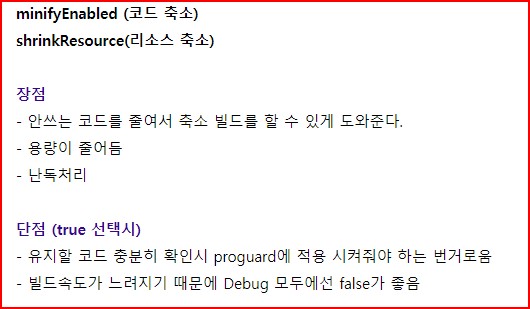
빌드 타입에 따라서 debug 모드에서는 빌드 되는 시간을 절약하기 위해서 설정을 넣지 않았고, release 모드에서 설정이 되도록 추가하였다.
다음은 proguade-rules.pro 파일에 설정을 추가 하였다.
# Add project specific ProGuard rules here.
# You can control the set of applied configuration files using the
# proguardFiles setting in build.gradle.
#
# For more details, see
#   http://developer.android.com/guide/developing/tools/proguard.html

# If your project uses WebView with JS, uncomment the following
# and specify the fully qualified class name to the JavaScript interface
# class:
#-keepclassmembers class fqcn.of.javascript.interface.for.webview {
#   public *;
#}

# Uncomment this to preserve the line number information for
# debugging stack traces.
#-keepattributes SourceFile,LineNumberTable

# If you keep the line number information, uncomment this to
# hide the original source file name.
#-renamesourcefileattribute SourceFile

# Add this global rule
-keepattributes Signature

# This rule will properly ProGuard all the model classes in
# the package com.yourcompany.models.
# Modify this rule to fit the structure of your app.
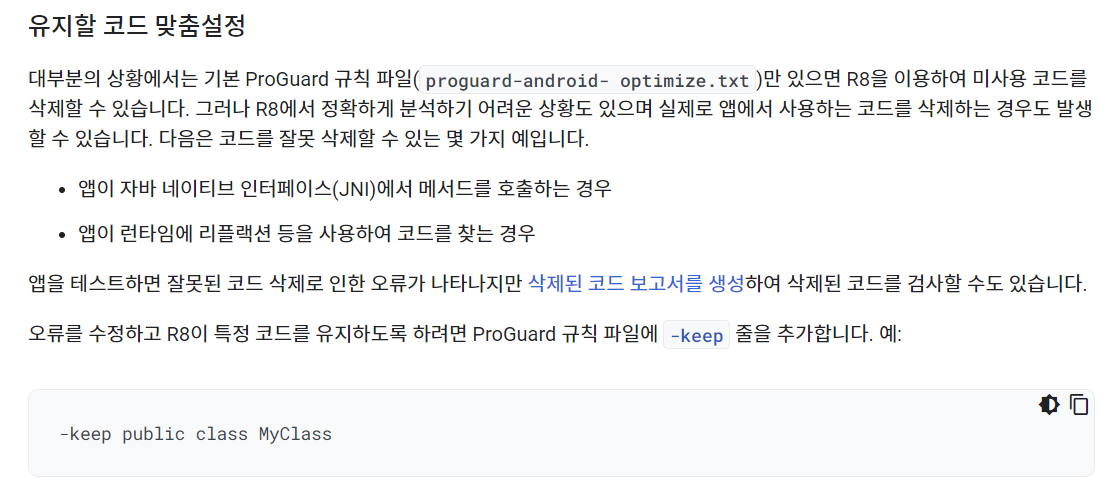
-keep public class com.bill...........databean.** { *; }
-keep public class 뒤에 따라오는 건 내 project 의 package 이름의 경로라고 보면 된다. databean 아래에 있는 모든 class는 난독화를 하지 않겠다고 하는 것이다.
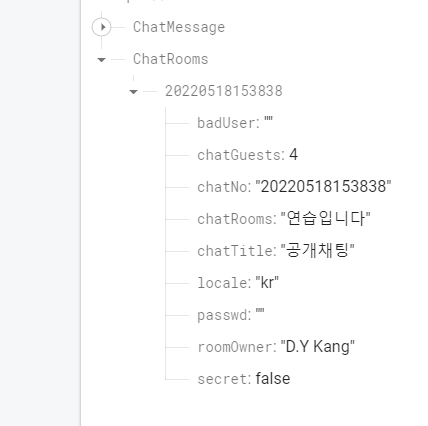
데이터 저장된 예시
코드 난독화가 된 이후에도 database 구조는 구현된 이름 그대로 저장 되어 있는 것을 볼 수 있었다. 이것으로 난독화를 했을 때 야기될 수 있는 문제점에 대한 이해와 그 해결에 대한 정리를 마무리해 두어야겠다.
16: Caller has been temporarily blocked due to too many canceled sign-in prompts. 이런 오류 메시지을 만나게 되면
당황스럽지 않을까 ? 구글에서 찾아보니 이런 해결책이 있었다. 나의 경우는
참고 :개발 과정이 24 시간 재사용 대기 기간이 발생하는 경우, 당신은 구글 플레이 서비스 '응용 프로그램 저장을 취소하여 재사용 대기 시간을 초기화 할 수 있습니다. 또한, 테스트 장치에이 재사용 대기 시간 ON / OFF 전환 및 / 또는 에뮬레이터 모두, 단순히 걸기 응용 프로그램 입력에 다음 코드를 이동 :*#*#66382723#*#*. 제출 시 피드백은 없지만 다이얼러는 모든 입력을 지우고 닫힐 수 있습니다. 이 후에는 쿨다운을 해제해야 합니다. 다시 켜려면 같은 코드를 다시 입력하세요.
새로 빌드된 앱을 playstore 에 올리고 게시가 되기를 기다렸다가, 실행해 보았다. 개발할 때는 오류가 나지 않던 앱의 실행에 문제가 생긴다. 왜? 오류를 확인하기 위한 log을 찍어보고 찾아보고... 흠흠... 하다가 혹시나 하고 생성된 database을 삭제해 보았다.
그리고 실행된 후 새로 실행해서 보았더니, database 가 그림과 같이 생성이 되어 버렸다. 코딩할 때 생성했던 코드는 이런데도 말이다.
...

data class ChatRooms(
    var chatRooms:String = "",
    var chatTitle:String = "",
    var roomOwner:String = "",
    var chatNo:String = "",
    var locale:String = "",
    var badUser:String = "",
    var chatGuests:Int = 0,
    var secret:Boolean = false,
    var passwd:String = ""
)